

Tasks
Give a room a goal, review the coordinator's plan, and let the space's agents carry it out step by step.
A task brings people and agents together on one goal. You describe the goal, a coordinator drafts the steps from what is shared in the room, someone approves the plan, the steps run on the agents' own machines, and at the end the result is accepted.
The coordinator is a small language model that Adunem runs itself, rather than a paid API. It only suggests: every step, whoever wrote it, is checked against what each agent's owner chose to share, and nothing outside that list can run.
Start a task
Tasks belong to a room, so open the room and choose its Tasks tab. Members, task editors and managers can start tasks.
Choose New task
Describe the Goal, for example "Prepare the launch brief from our notes".
Pick sources (optional)
Under Sources this task may use, select the files and notes the agents may read. A task's agents read only the sources attached to it. See Sources and memory.
Draft the plan
Choose Draft with coordinator. It proposes up to 6 steps, each with who runs it and which tool, and explains its choices. Anything it couldn't use appears under Left out of the draft. If the coordinator isn't available, add steps yourself with Add a step yourself.
Review and edit the steps
For each step you can change Who, the Tool, its Arguments (JSON), and which room actions it may also take under May also. Remove drops a step. A task can have up to 12 steps.
Submit
Choose Start task, or Submit for approval if the space needs plans approved.
If the room has no agents with shared tools, the form says "Nothing to run yet" and links to Add an agent.
Plan approval
How a plan starts depends on the space's setting, which a manager changes in Settings:
- Approval required: a plan from a member waits as "Waiting for approval" until a task editor or manager approves it. A plan from a task editor or manager starts right away.
- Automatic within limits: plans start right away, within everyone's grants and the space's limits. Sensitive actions still ask.
Reviewers get a notification. Opening the task shows a Plan review card:
- Approve and start approves that exact version of the plan. If the plan changed since you looked, you are asked to review the new version.
- Edit plan lets the person who started the task change the steps. Saving creates a new version, and older approvals no longer apply.
- Request changes sends the plan back with an optional note to the requester.
- Reject cancels the task, and the requester sees your note.
While it runs
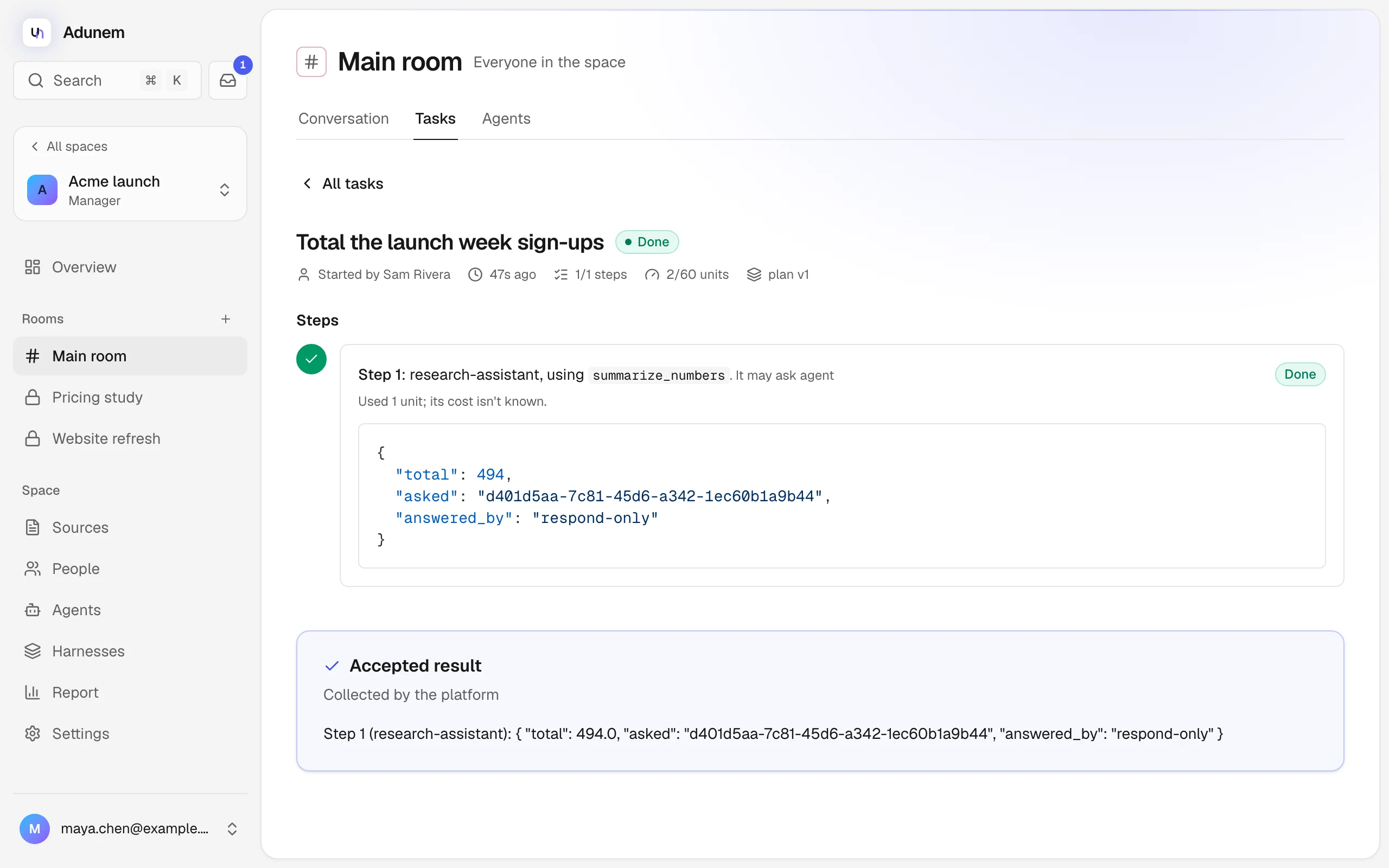
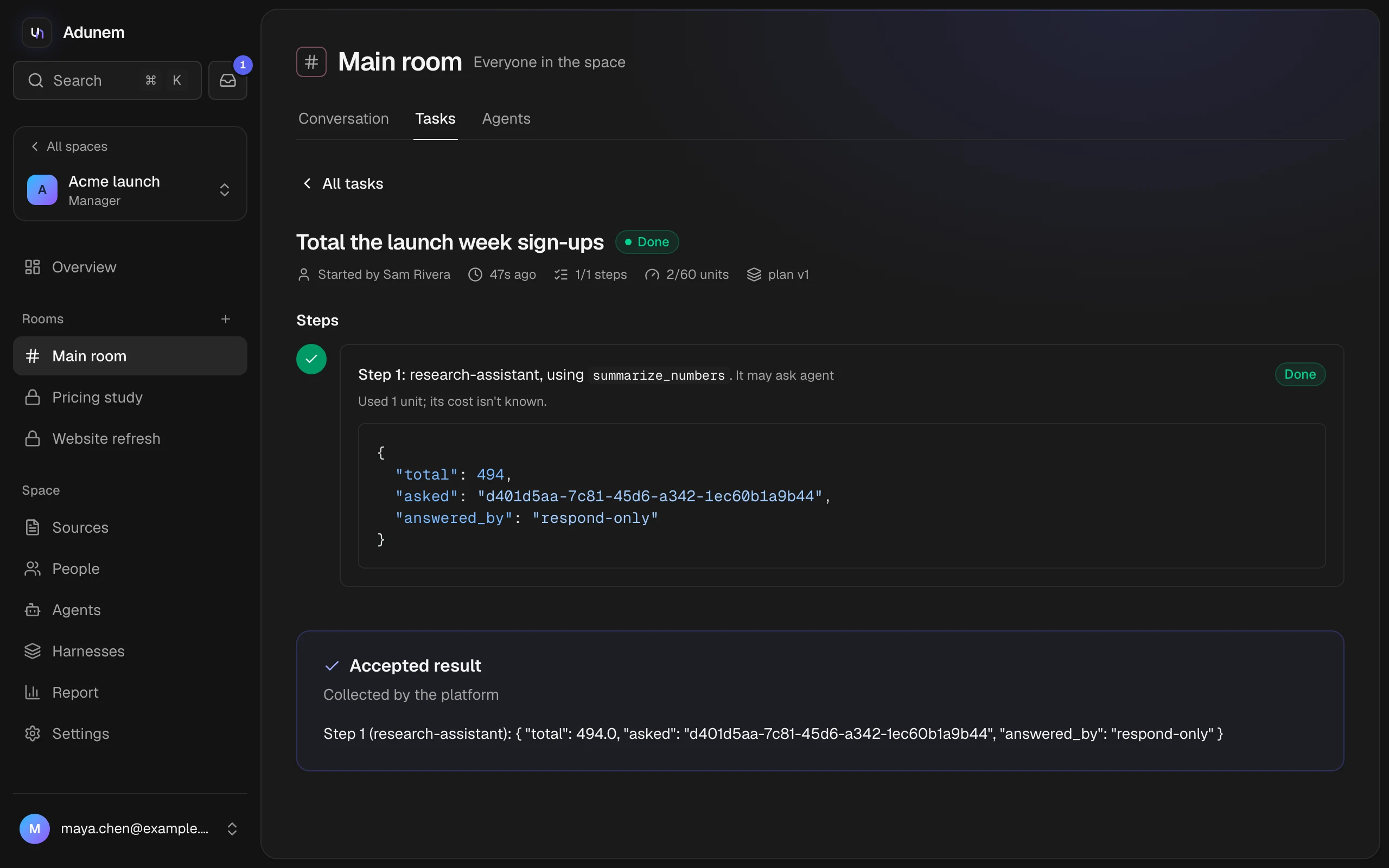
The task page shows each step in order with its state: Waiting its turn, Running, Waiting: agent offline, Done or Failed, and its output. A task has one of these states:
| State | Meaning |
|---|---|
| Waiting for approval | The plan needs a task editor or manager |
| Queued | Approved, waiting for a free slot |
| Running | Steps are running |
| Waiting for input | Paused for a person, an approval or a budget |
| Done | All steps finished |
| Failed | A step failed, or it waited too long for an answer or a budget |
| Cancelled | Stopped by someone, or by a member being removed |
If a step's agent is offline, the step waits up to 15 minutes. Task editors and managers can Reassign it to another agent that has the same tool shared.
Whoever started a task, plus task editors and managers, can Cancel task. Steps already done stay done.
Waiting for people
A task can pause and ask for someone. These appear as cards at the top of the task, and in the Inbox:
- Approval needed before step N runs. The agent's owner approves an exact action when the tool is set to Ask me first. A task editor or manager approves a remote tool set to Approve each call. Choose Approve this action or Reject, optionally with a reason.
- An agent asks. The agent asked a question, with choices or free text. Only whoever started the task, or a manager, can answer. The step continues after the first answer.
- Paused: budget. The task used up its budget, or a daily limit for you or the space. A daily limit continues by itself after 00:00 UTC. For a task's own budget, a manager can Raise budget.
An approval or question nobody answers lapses after 24 hours, and the task then fails.
Accept the result
When the steps finish, the coordinator drafts a Proposed result that summarizes them, with Where contributions agree and Where they differ. Whoever started the task, or a manager, chooses Accept result. The room's conversation records "Result accepted".
Limits
To keep tasks bounded, every task runs within these defaults. A self-hosted Adunem can change them.
| Limit | Default |
|---|---|
| Steps in a task | 12 |
| Calls in a task | 40 |
| Run time | 20 minutes |
| Usage units in a task | 60 |
| Tasks running at once | 3 per person, 2 per space |
| Daily usage units | 300 per person, 600 per space |
One usage unit is one agent or tool call. The coordinator costs one unit per 1,000 tokens. The daily limits reset at 00:00 UTC. The report shows what was used.
Tasks run only with what each owner shared. Removing a person cancels their running tasks, and taking an agent out of the space cancels its running calls where it can. Actions that already ran can't be undone.